
Article
2026年9月9日
Show the story: 8 image prompts for government work
# Government
# ChatGPT
# AI Techniques
Use visual storytelling to make ideas clearer for the people you serve.

Laura Keenan
一部のコンテンツは元の言語で表示される場合があります。
翻訳
Show the story: 8 image prompts for government work
At every level of government—local, state, and federal—part of the job is helping people understand. You might be explaining a new service, introducing equipment to a team, or inviting residents to imagine a community space. The people you serve bring different experiences, questions, and ways of taking in information. Sometimes a written explanation helps. Sometimes a picture makes the idea click.
Visual storytelling gives people another way into the story. A view of equipment with its parts separated can help explain how it fits together. A proposed uniform shown on a mannequin gives staff something concrete to respond to. A miniature neighborhood can help residents picture an idea and ask better questions about it.
These eight image prompts can help you become a clearer storyteller for those you serve. Use them to turn an idea into something people can see, discuss, and help improve. The examples below start with city uniforms, equipment, and public-library programs, but you can adapt the same approaches for a state agency or federal team.
How to use these visual prompting techniques
Treat the visual prompting techniques below as style cues for this guide. Use plain language: paste the full sample prompt into a ChatGPT conversation where image generation is available. You can ask for an image in plain language, then request edits in the same conversation. See OpenAI’s image-creation instructions .
Start with the sample, replace the subject with your own, and state what should stay fixed. If your interface offers an image template, you can use that as a starting point too. Check which image features are enabled in your agency-approved environment.
All images in this article are AI-generated examples of fictional concepts. Uniforms and equipment shown here are discussion drafts; technical requirements, protective performance, and purchasing decisions require separate review.
1. exploded view — See how new equipment could fit together
An exploded view separates the parts of an object so people can discuss its organization. A parks department could use it to explore a new equipment cart before asking staff which tools need to be easiest to reach.
Try this prompt
exploded view — Create an image in an exploded-view style of a fictional modular equipment cart for city parks workers. Show a teal wheeled base, a removable organizer tray floating directly above it, and a litter grabber, hand broom, and empty collection bin separated above their intended positions. Use a three-quarter view, a pale background, soft studio lighting, and clear spacing. No labels or logos. This is a visual design concept, not a buildable design or assembly instruction.
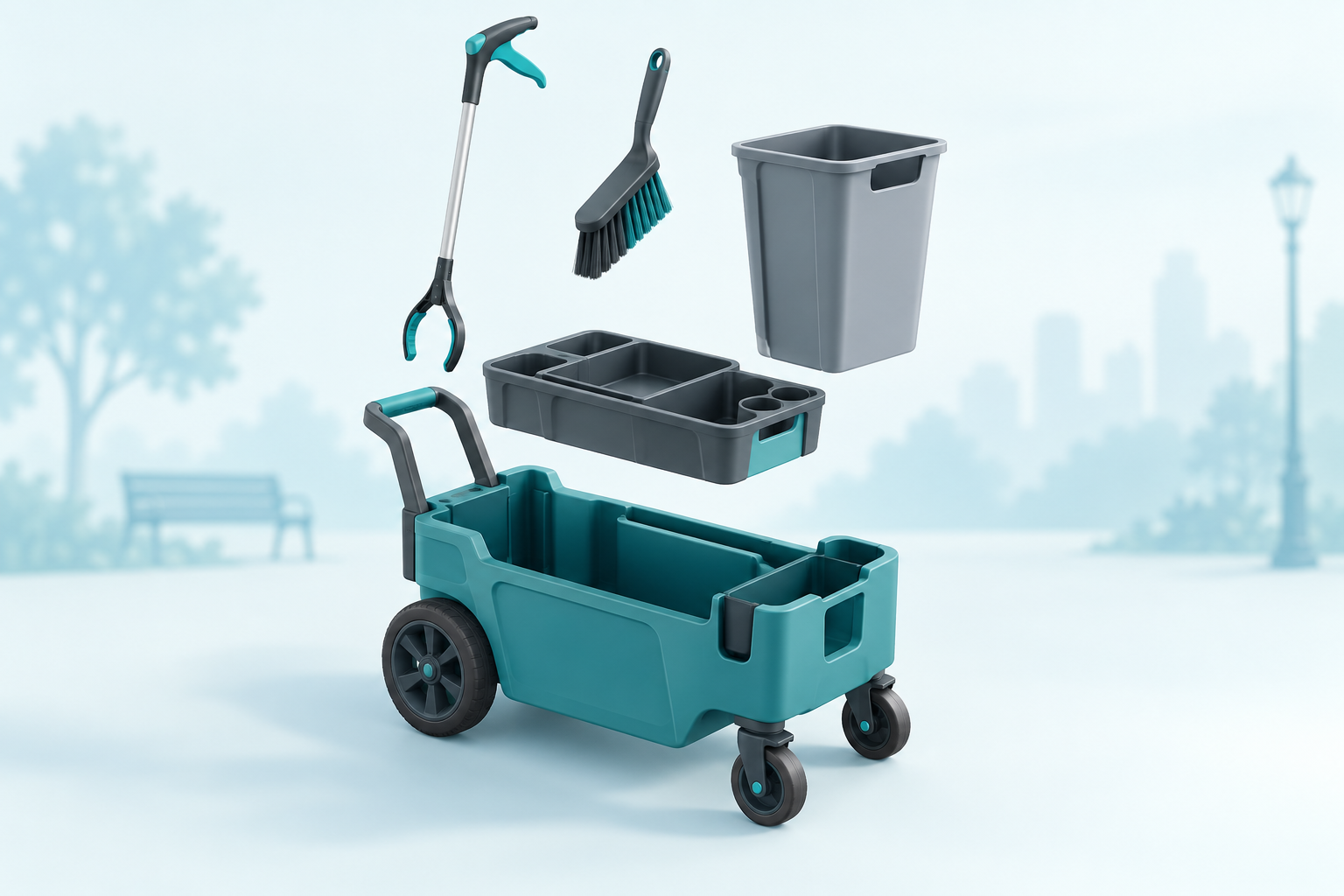
AI-generated concept of a parks equipment cart with its tray, bin, broom, and litter grabber separated above the base.
Refine it: “Keep the cart and tools the same. Increase the space between the tray and base so the storage layout is easier to see.”
2. mannequin premium showcase — Explore a new city-worker uniform
A mannequin showcase puts the cut, colors, and overall look of clothing in focus. Use it to compare proposed uniforms for parks staff, visitor services, or city facilities teams before gathering employee feedback.
Try this prompt
mannequin premium showcase — Create a premium mannequin showcase of a proposed everyday city parks-worker uniform: a teal overshirt over a light gray shirt, navy work trousers, plain brown work boots, and a simple navy cap. Use a faceless neutral mannequin in a clean studio, soft lighting, and realistic fabric. Show the whole outfit from cap to boots. No badges, seals, rank insignia, logos, or text. A uniform design concept, not certified protective clothing.
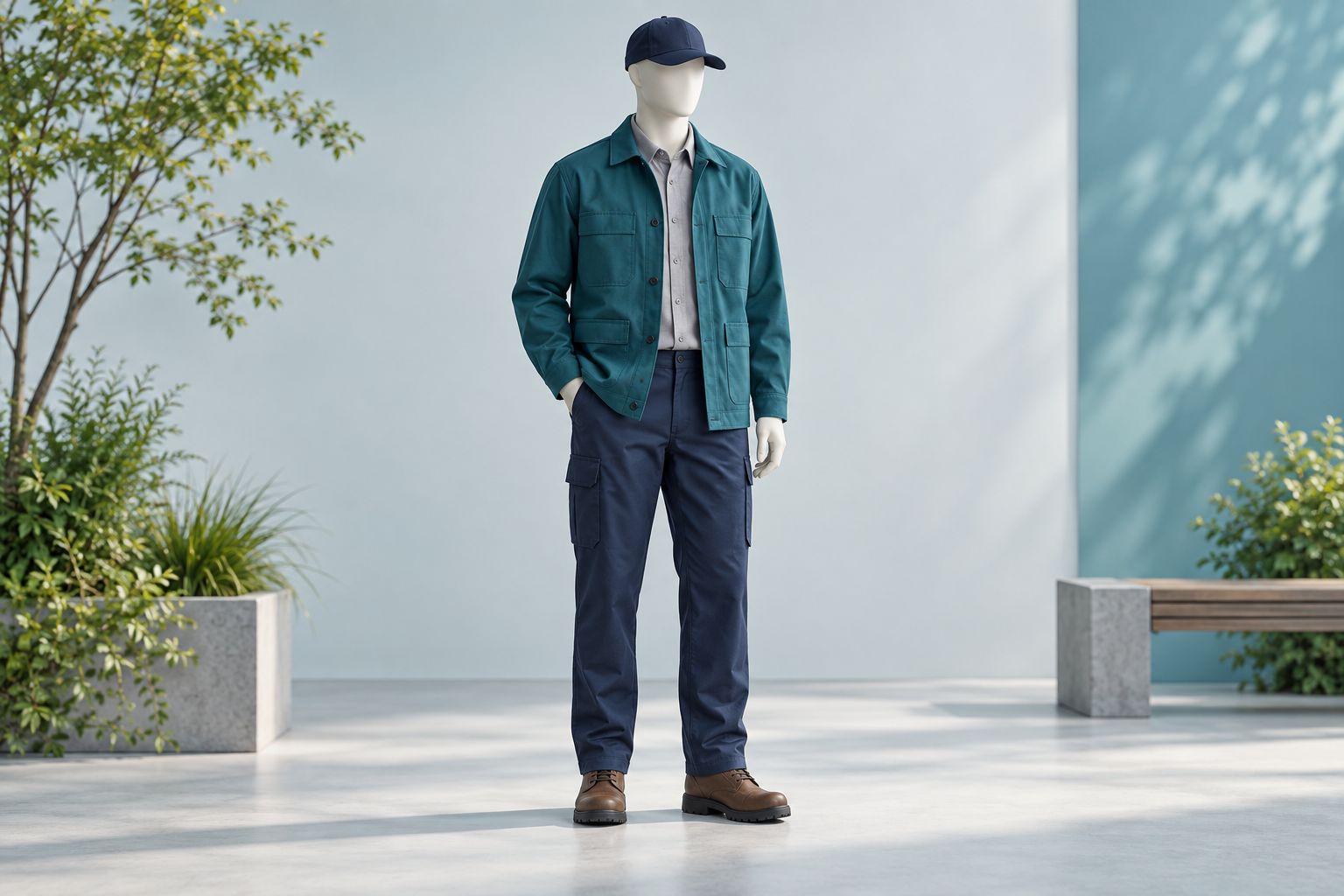
AI-generated city parks-worker uniform concept on a faceless mannequin: teal overshirt, navy trousers and cap, and brown boots.
Refine it: “Keep the mannequin, trousers, and boots the same. Show a second version with a light blue overshirt.”
3. flat lay — Show what comes in a kit
A flat lay arranges objects on a surface and photographs them from above. Use it for workshop materials, employee welcome kits, or a proposed field-worker supply set. The overhead view helps reviewers notice missing items and unnecessary extras.
Try this prompt
flat lay — Create a flat-lay image of a fictional community-workshop welcome kit, photographed directly from above. Neatly arrange a teal notebook, a pencil, a folded blank agenda, a reusable water bottle, and a plain name-tag holder on a pale surface. Keep each item separate and fully visible. Use soft daylight, realistic materials, and no readable text or logos.
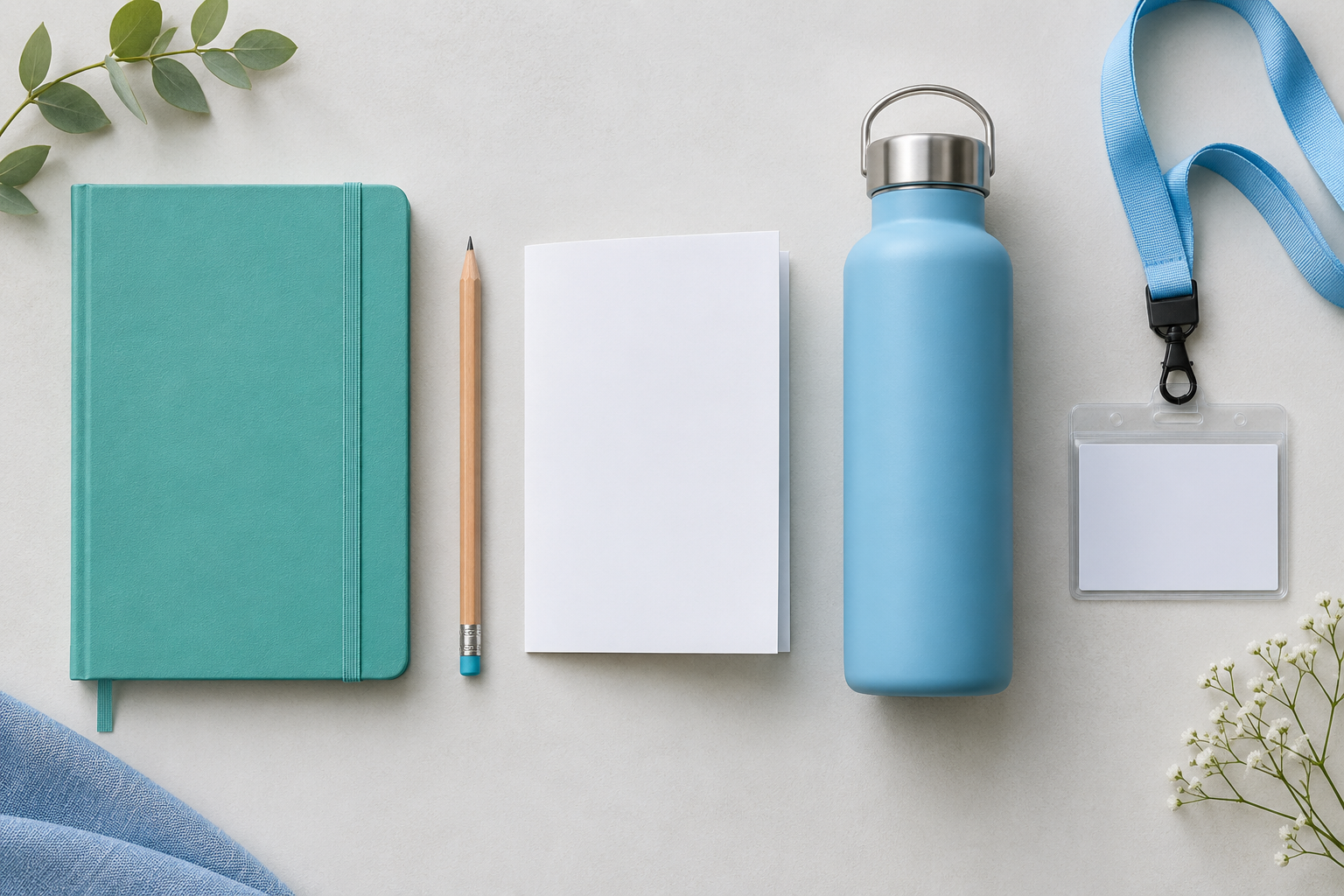
AI-generated overhead arrangement of a notebook, pencil, blank agenda, water bottle, and name-tag holder.
Refine it: “Keep the objects unchanged. Arrange them in two tidy rows with more space between each item.”
4. lifestyle product scene — Put an item in everyday context
A lifestyle scene shows how an object might look in use. A library team could explore a reusable book bag; a facilities team could visualize a proposed equipment carrier in a generic workspace. Use the scene to discuss the setting and intended user experience.
Try this prompt
lifestyle product scene — Create a realistic lifestyle image of a fictional adult library visitor using a plain teal canvas book bag at a bright public-library checkout counter. Show the bag open with two books inside, a welcoming uncluttered setting, and natural daylight. Make the bag the focal point. Do not include readable screens, personal information, agency branding, or logos.
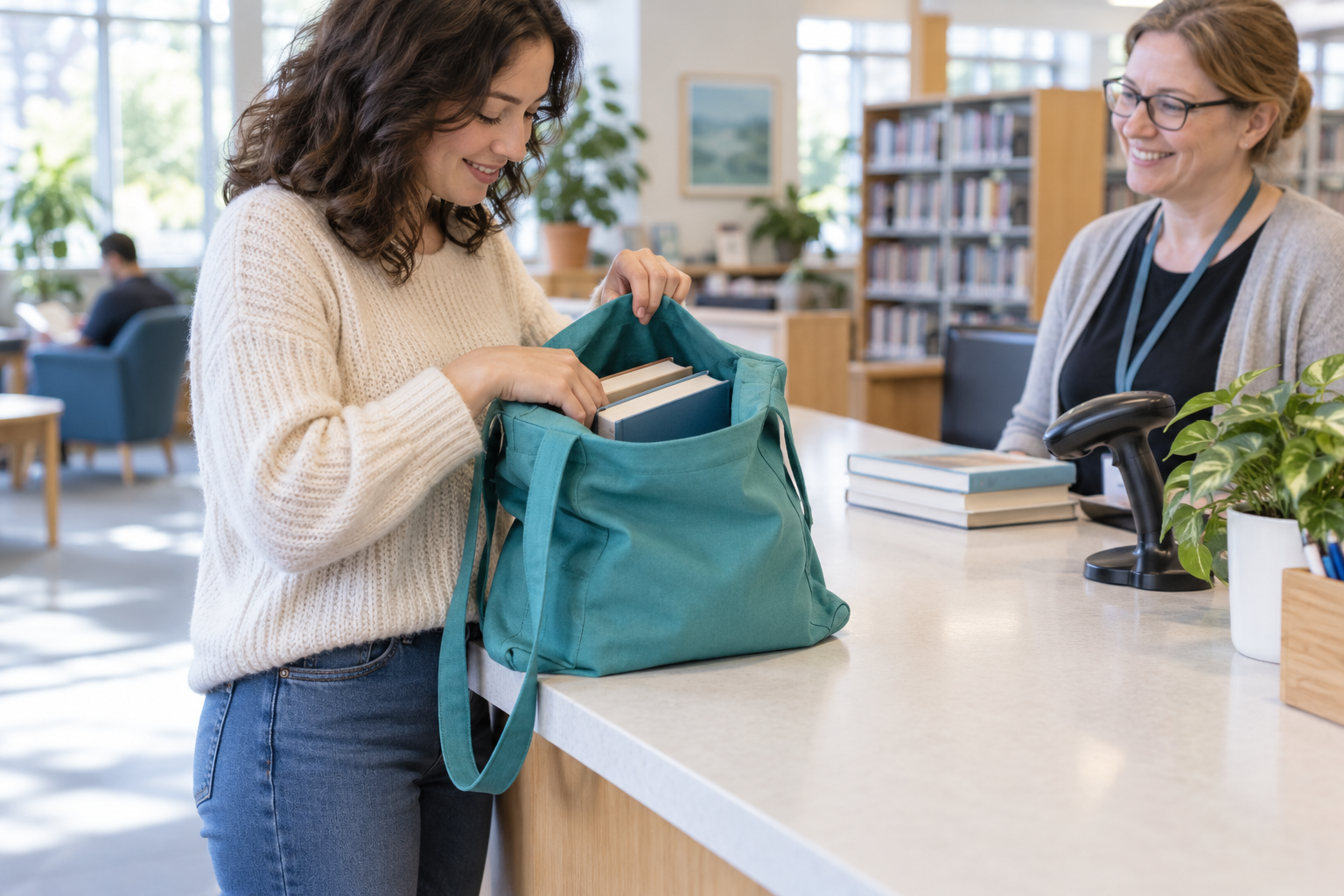
AI-generated scene of a fictional visitor using a teal book bag at a public-library counter.
Refine it: “Keep the same bag and library setting. Move the camera closer so the bag opening and handles are easier to see.”
5. macro detail — Look closely at materials and finishes
A macro image zooms in on texture, stitching, or surface detail. Try it when discussing a uniform pocket, bag handle, or proposed equipment finish. It can make a design preference easier to explain, but it cannot establish durability, performance, or compliance.
Try this prompt
macro detail — Create a macro-detail image of a proposed reusable canvas bag for a public-library program. Focus on the woven natural-cotton texture, reinforced handle stitching, and a teal fabric edge. Use a sharply focused close-up with soft background blur and natural light. No labels, logos, or text. This is a material concept, not evidence of a real product's quality.
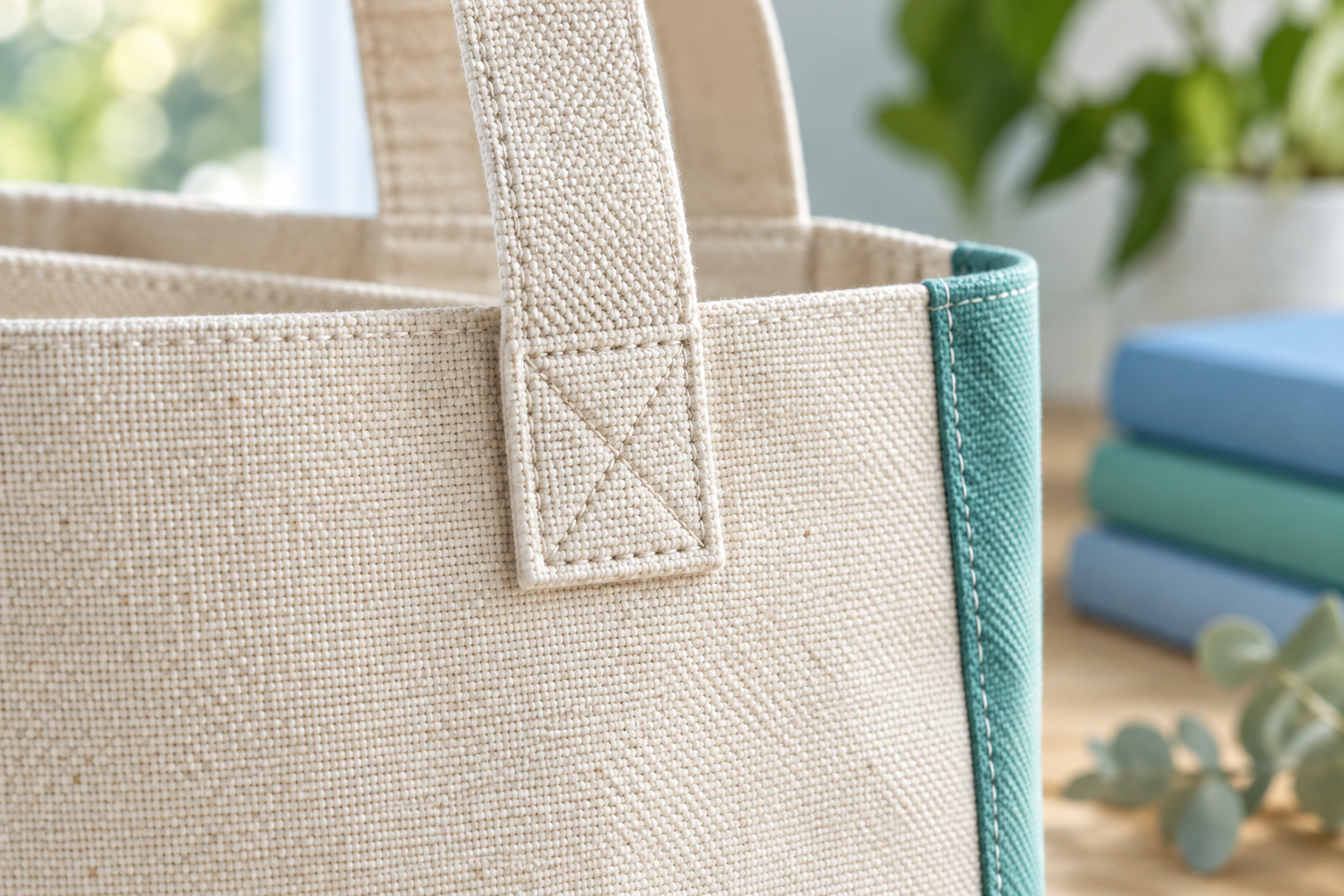
AI-generated close-up of woven canvas, handle stitching, and teal fabric trim.
Refine it: “Keep the same material and colors. Widen the crop slightly so the full handle attachment is visible.”
6. editorial campaign — Give a public-service campaign a visual direction
Editorial campaign imagery creates a deliberate mood and composition. A library repair workshop, parks volunteer program, or municipal reuse initiative can use it to explore a coherent visual approach. Leave room for approved headlines and event details to be added as editable text.
Try this prompt
editorial campaign — Create a polished editorial campaign image for a fictional public-library repair-and-reuse workshop. Show a neatly composed tabletop still life of a visibly mended teal canvas bag, a wooden embroidery hoop holding a fabric patch, folded cloth, and a spool of thread in a sunlit community room. Use realistic textures, a restrained teal and blue palette, and generous empty space on the left for a headline to be added later. No text or logos.
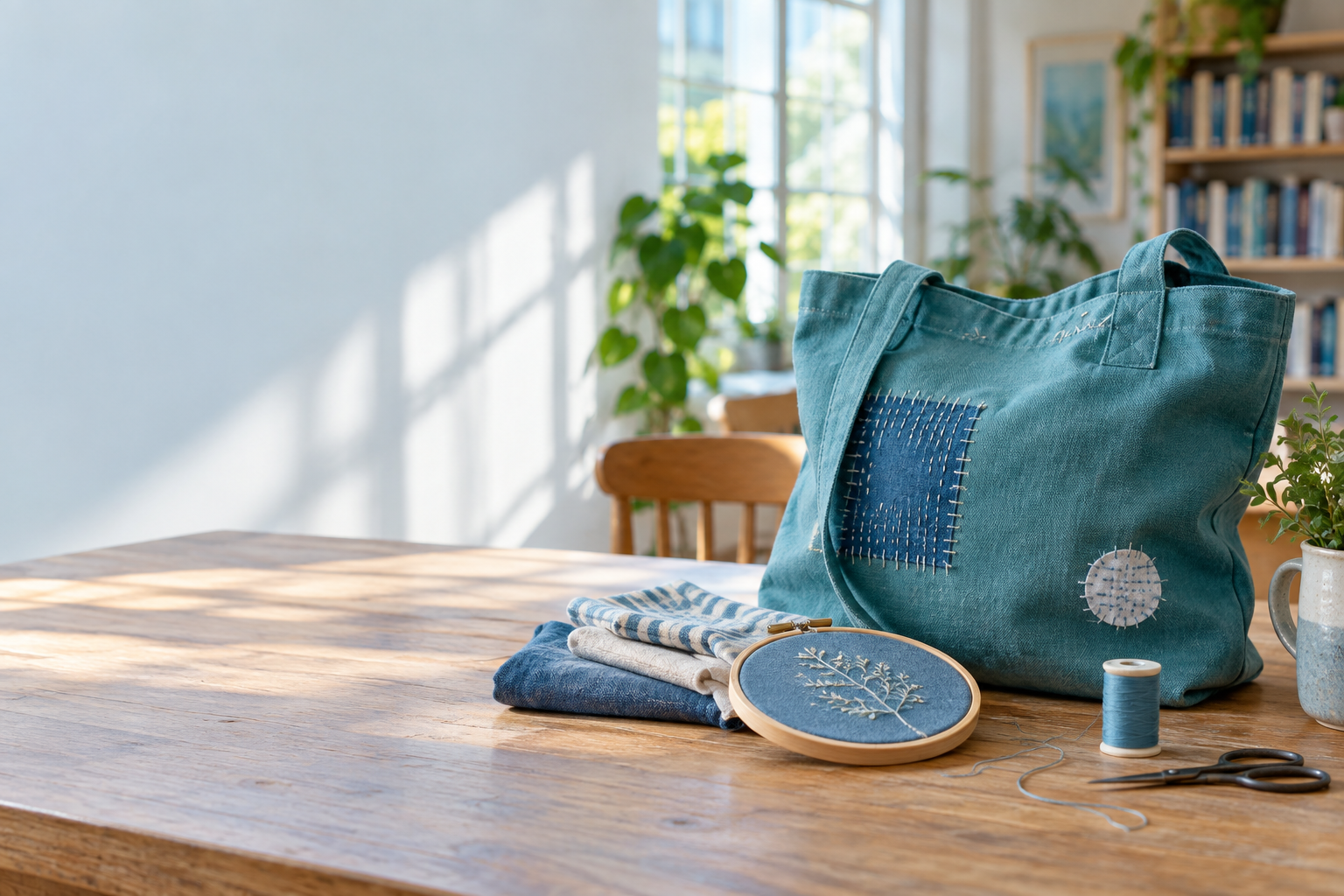
AI-generated campaign still life of a mended teal bag, embroidery hoop, fabric, and thread.
Refine it: “Keep the objects and lighting the same. Leave the left third completely clear for a short headline.”
7. packaging mockup — Preview a package before producing it
A packaging mockup shows how a box, sleeve, or label could look. Use it for public-program activity kits or proposed employee equipment packaging. Compare the visual hierarchy and organization before developing production artwork.
Try this prompt
packaging mockup — Create a realistic packaging mockup for a fictional public-library take-home nature-journaling kit. Show an open recycled-cardboard box containing a small blank notebook, two pencils, and a folded blank activity sheet, with a teal paper sleeve standing beside it. Give the sleeve a clear blank area for approved wording to be added later. Use a three-quarter studio view. No seals, certifications, logos, or readable text.
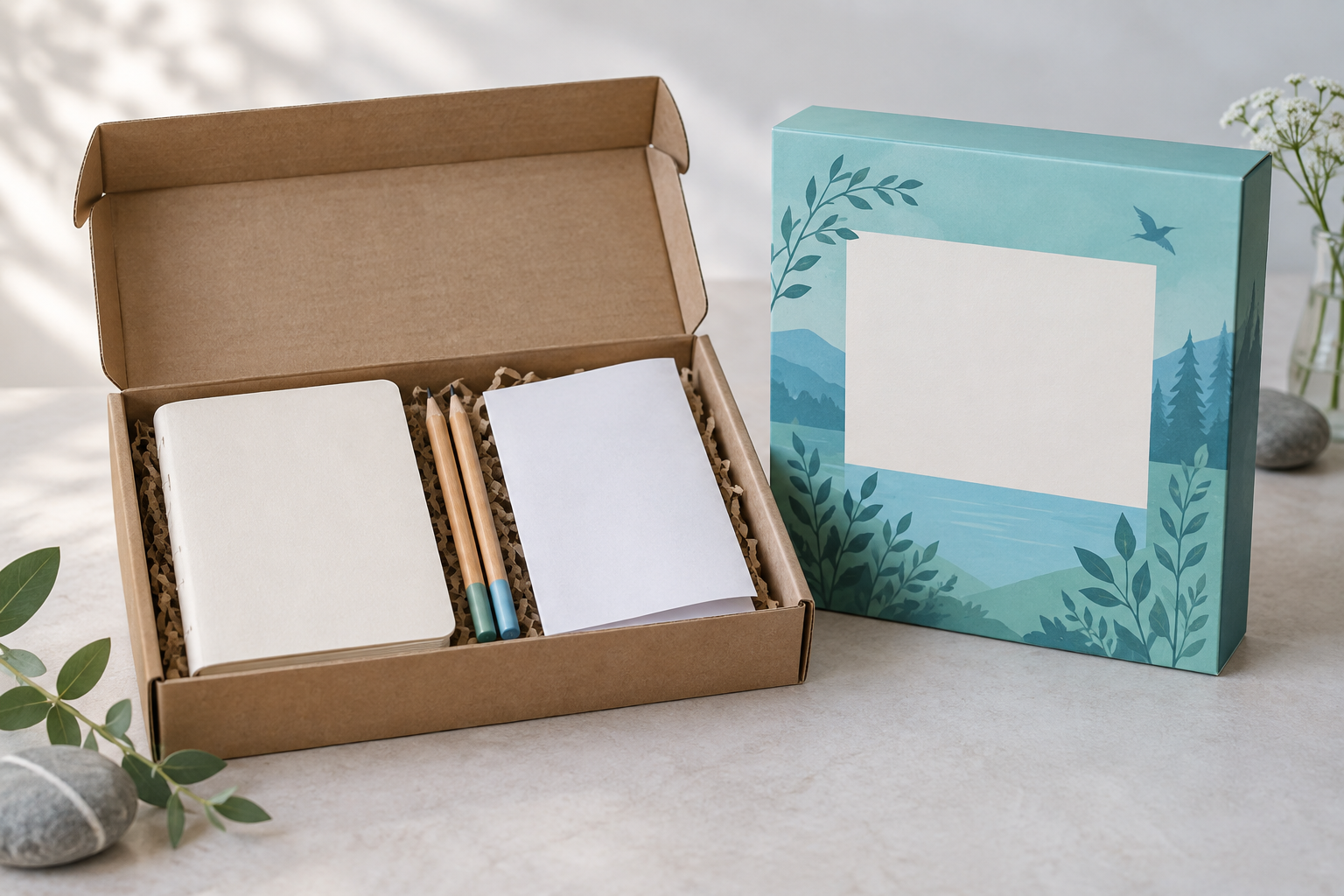
AI-generated cardboard nature-journaling kit with a notebook, pencils, activity sheet, and blank teal sleeve.
Refine it: “Keep the box and contents the same. Show the paper sleeve fitted around the closed box in a second image.”
8. miniature world — Make a service idea tangible
A miniature world turns an idea into a small model-like scene. A city team could use it to introduce a library plaza, community hub, or proposed service area in a workshop. It gives participants something concrete to discuss and annotate.
Try this prompt
miniature world — Create an isometric miniature-world illustration of a fictional neighborhood library plaza for a community-engagement workshop. Show a cutaway library with bookshelves, a step-free entrance, a broad pedestrian path, benches, trees, bicycle parking, and tiny residents, including a wheelchair user. Make it look like a carefully built physical model, with tactile materials and teal and blue accents. No map labels, agency logos, or text. A discussion concept, not a real site plan.
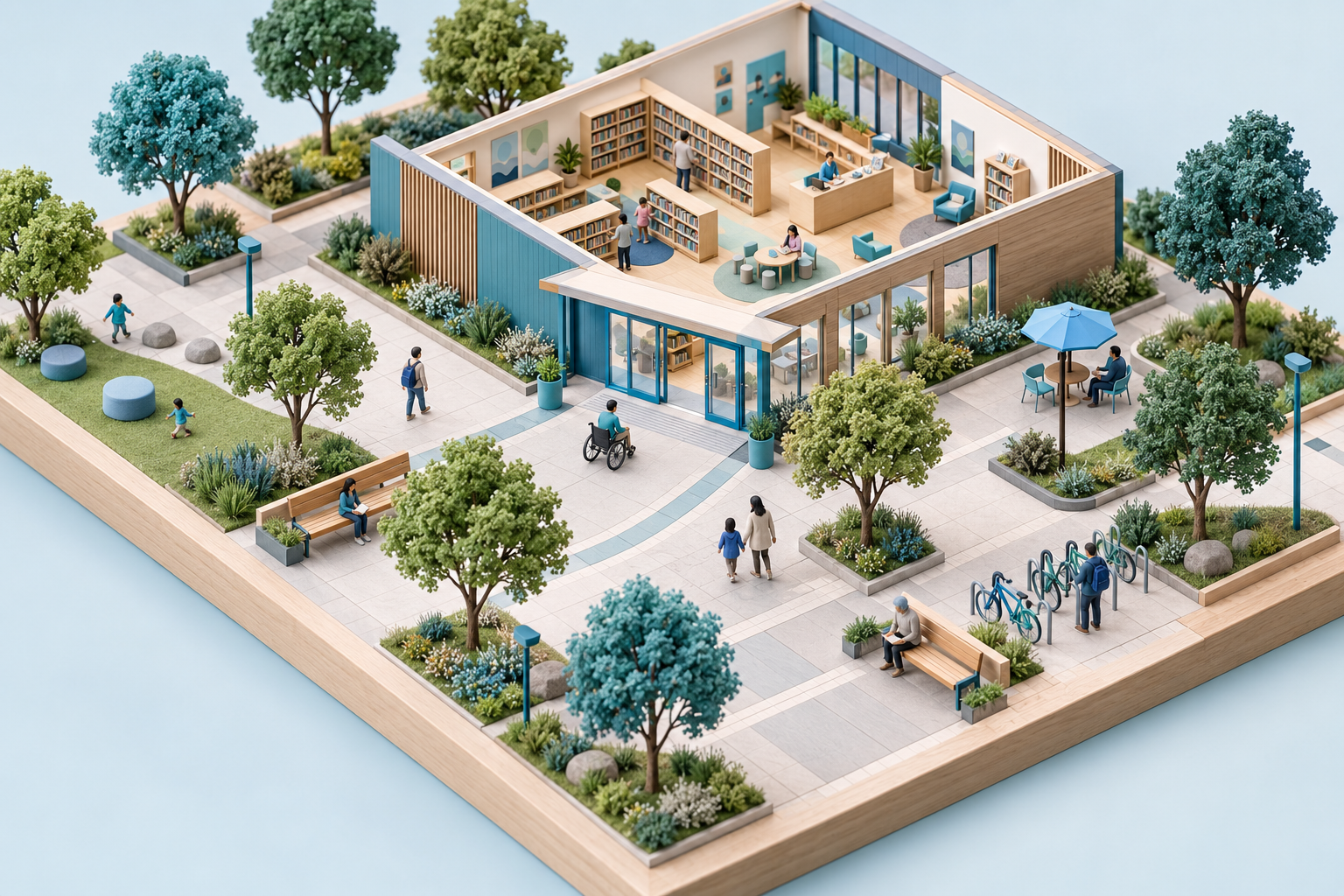
AI-generated miniature library plaza with a step-free entrance, benches, trees, bicycle parking, and tiny residents.
Refine it: “Keep the library and entrance in the same positions. Create a second option with more shaded seating along the path.”
Get from a good-looking image to a useful draft
Choose one idea your team is already discussing. Generate a first version, ask colleagues what is unclear, and change one detail at a time. Specific requests about composition, lighting, and what to preserve help guide revisions. OpenAI Academy’s prompting guide explains this approach.
For a uniform review, for example, ask for three color options using the same garment cut, pose, and background. Once you choose a direction, request a closer view of a pocket or fabric detail. Keeping those elements consistent makes comparison easier.
Before using an image in a briefing or public resource:
Check the details. Inspect hands, object counts, proportions, and any text. Use verified drawings or photographs when exact equipment details matter.
Use appropriate source material. Work in an approved environment and follow your agency’s rules for uploads. Use fictional examples when real people, records, or facilities are unnecessary.
Keep essential information readable. Add final labels and headlines as editable text. Provide alt text and explain the image’s main point in the surrounding copy.
Be clear about its status. Label concepts as concepts and follow your normal communications review before public use. A generated plaza does not establish accessibility compliance; a uniform image does not establish protective performance.
Try it with your team: Think of something the people you serve need to understand. What would help them see the idea more clearly? Choose one style, create a visual draft, and ask a colleague: “What does this help explain—and what still needs words?”
探索する
関連
ブログ
A face behind the service: 5 image prompts for welcoming veterans
投稿者 Laura Keenan • 2026年9月9日 • 視聴回数 110
ブログ
Your city, within reach: 7 image prompts for tourism and transit
投稿者 Laura Keenan • 2026年9月9日 • 視聴回数 103
リソース
From a Full Calendar to Executive Readiness: Five ChatGPT Work Prompts for Government Executive Assistants
投稿者 Laura Keenan • 2026年8月11日 • 視聴回数 98
ブログ
Your next chapter starts here: 5 image prompts for workforce outreach
投稿者 Laura Keenan • 2026年9月9日 • 視聴回数 122
ブログ
A face behind the service: 5 image prompts for welcoming veterans
投稿者 Laura Keenan • 2026年9月9日 • 視聴回数 110
リソース
From a Full Calendar to Executive Readiness: Five ChatGPT Work Prompts for Government Executive Assistants
投稿者 Laura Keenan • 2026年8月11日 • 視聴回数 98
ブログ
Your next chapter starts here: 5 image prompts for workforce outreach
投稿者 Laura Keenan • 2026年9月9日 • 視聴回数 122
ブログ
Your city, within reach: 7 image prompts for tourism and transit
投稿者 Laura Keenan • 2026年9月9日 • 視聴回数 103