
Article
September 9, 2026
Before it exists: 6 ways to visualize a disaster-relief kit
# Government
# ChatGPT
Follow a fictional military relief-support kit from first impression to close-up, with six visual storytelling prompts.

Laura Keenan
It is 6:30 a.m. The rain has stopped. Outside a community hall, a military support team and local partners are preparing to welcome residents after a storm. Someone rolls a teal case through the doorway. Inside: a staff vest, a work light, clipboards, and a desk mat. A welcome station is taking shape.
The scene is fictional. So is the kit. But the communication challenge is familiar: how do you help people understand an idea they have never seen?
Across local, state, and federal government, people bring different experiences to the same conversation. A written description gives them one way in. An image can give them another—helping a colleague picture a design, notice a missing detail, or ask a better question about the people it will serve.
For this exercise, we will call our concept the Harbor kit. Six image prompts take it from a first impression to a closer look. Each frame answers a different question. Together, they tell a story that a list of equipment cannot.
Start with a story, then change the view
Use these prompts in an image-enabled tool approved for your work. These visual prompting techniques describe styles and effects to request in plain language. Start with the hero image, then attach that result as a reference for the remaining views and ask the tool to preserve the design.
All examples are AI-generated fictional concepts for a welcome station. They do not depict issued equipment, an authorized uniform, or a real disaster response.
1. Make the mission visible
hero product shot
Dawn after the storm. A fictional military support team arrives at a community assistance point with a compact kit for setting up a welcoming service desk. Before explaining every component, show the idea in one frame: equipment that helps people get organized and connect residents with support.
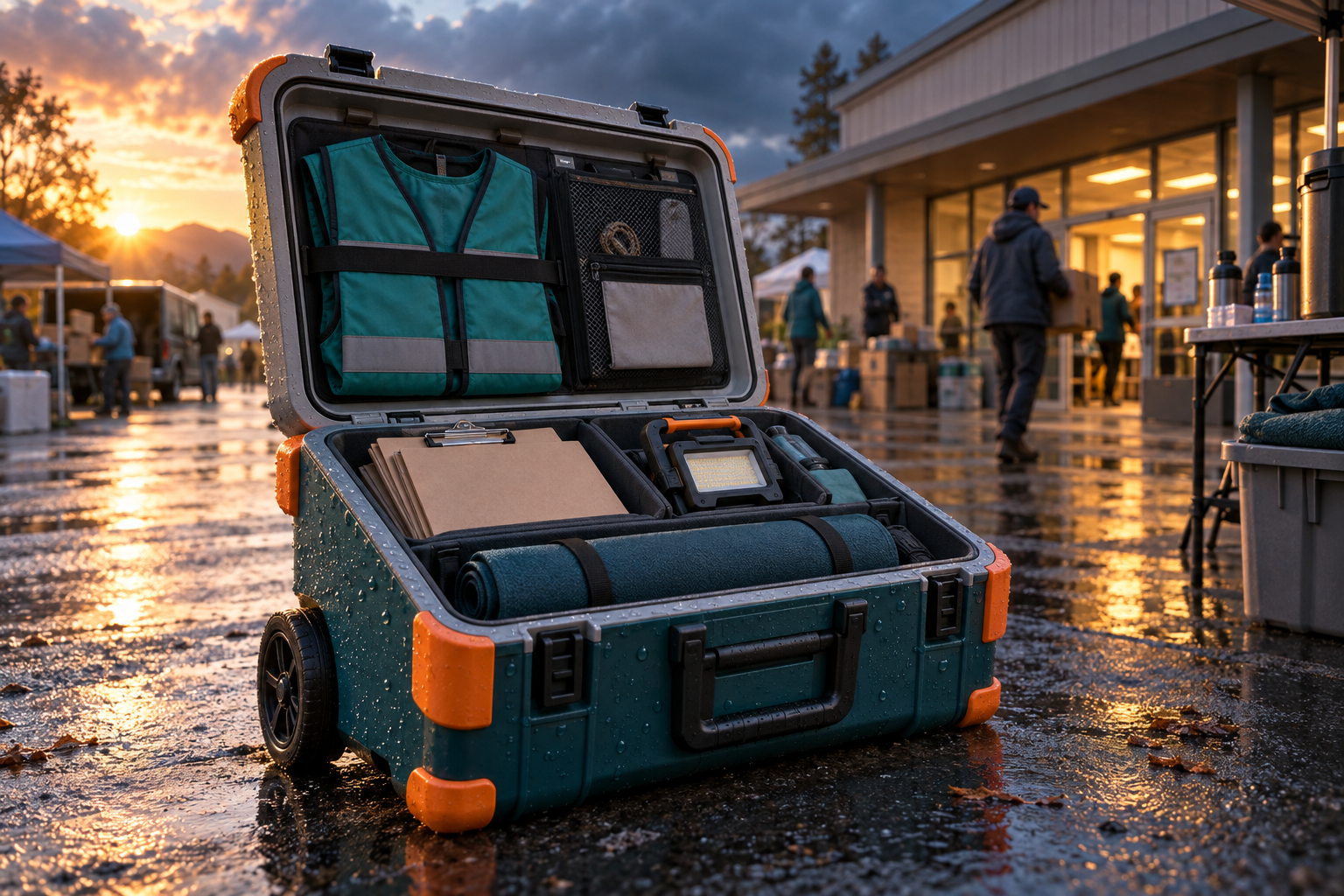
AI-generated concept: an open teal relief-support case with orange guards on wet pavement outside a fictional community hall.
Try this prompt
hero product shot Create a cinematic hero product shot of a fictional disaster-relief welcome-station kit called the Harbor kit, but include no visible name or text. Its distinctive design is a compact deep-teal rectangular transport case with rounded corners, orange corner guards, two black wheels, and a pale gray lid. Show the case open on rain-dark pavement beside a generic community hall at dawn. Inside are neatly fitted compartments holding a folded teal staff vest, a small unlit work light, blank clipboards, and a rolled fabric desk mat. Warm sunrise catches the orange guards; cool blue storm clouds recede behind it. Low three-quarter camera angle, realistic rain droplets, compelling light, crisp focal point, subtle background volunteers. No readable text, military insignia, weapons, injuries, or identifiable real location. Fictional concept equipment.
Keep the conversation going
Keep the kit identical. Move the camera lower and bring warm light across the open compartments so viewers can immediately understand what the kit contains.
2. Let a garment tell part of the story
ghost mannequin
Inside the case is a proposed vest for the people running the welcome station. An invisible-wearer view can make the front opening, pockets, and lining visible without casting a model. Here, the garment becomes a design question: would its layout make everyday desk work easier?
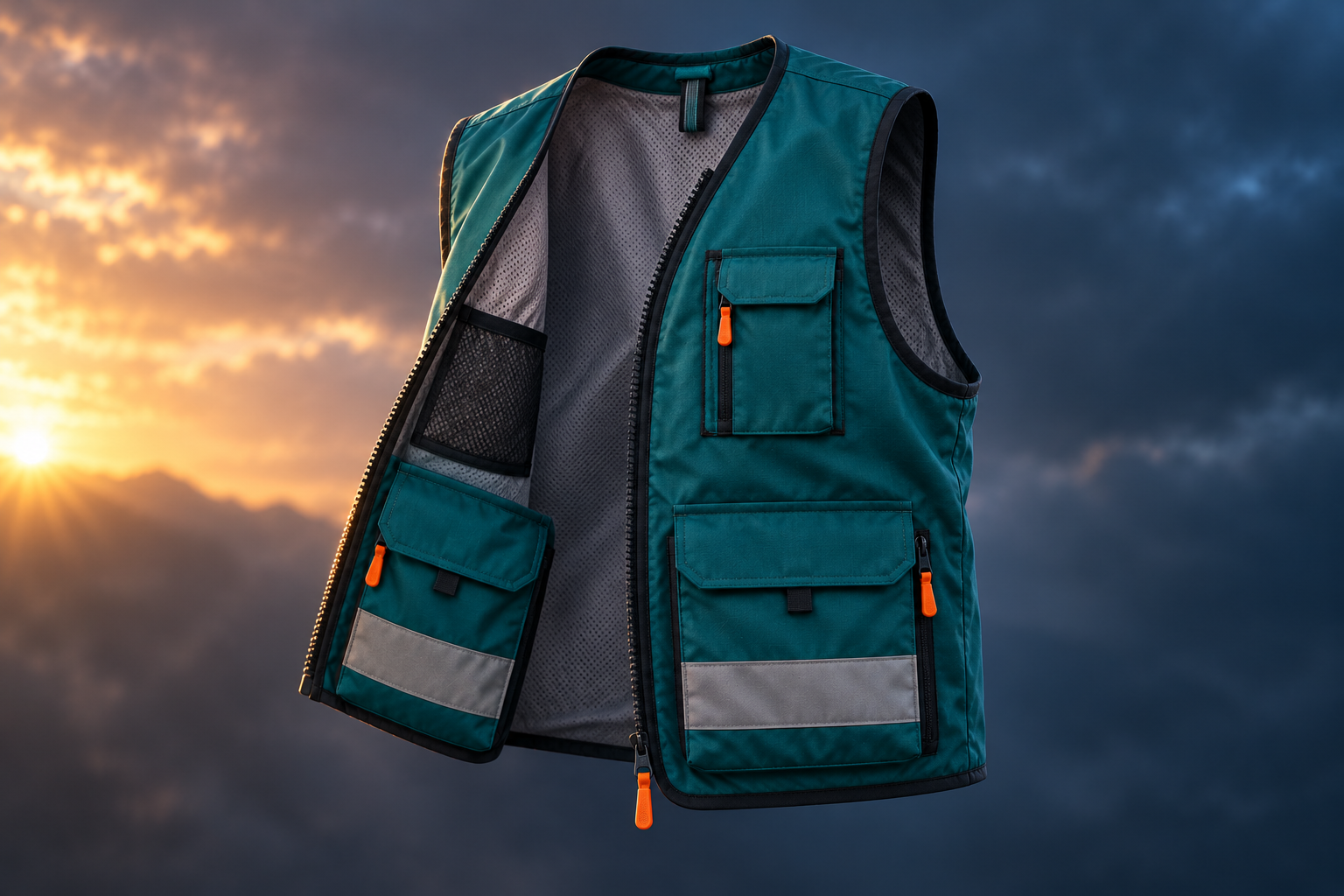
AI-generated concept: a teal staff vest with orange details and visible lining, shaped as if worn by an invisible person.
Try this prompt
ghost mannequin Create a dynamic ghost-mannequin fashion-product image of a fictional disaster-relief welcome-station staff vest. Deep-teal woven fabric, orange zipper pulls, two large lower front pockets, one small upper pocket, pale gray mesh lining, no sleeves. Shape it naturally as if worn by an invisible person, showing an open front and the inner lining, with no body, mannequin, head, hands or stand. Slight three-quarter turn, sculpted folds, dramatic soft side light against a deep blue-gray background with a warm dawn glow at one edge. Keep the full garment visible. No readable text, logos, military badges, certification marks or armor. This is a fictional staff-clothing concept, not protective equipment.
Keep the conversation going
Keep the vest design unchanged. Show the back and front together at the same scale so the team can discuss the whole garment.
3. Ask what a single view hides
360 product turntable
The hero image makes a strong first impression. Now the team needs to see what sits on the other side. A turntable-style sequence reveals the handle, wheel placement, and opening from multiple viewpoints. The blog example is a still storyboard; an actual rotating animation is a separate production step.
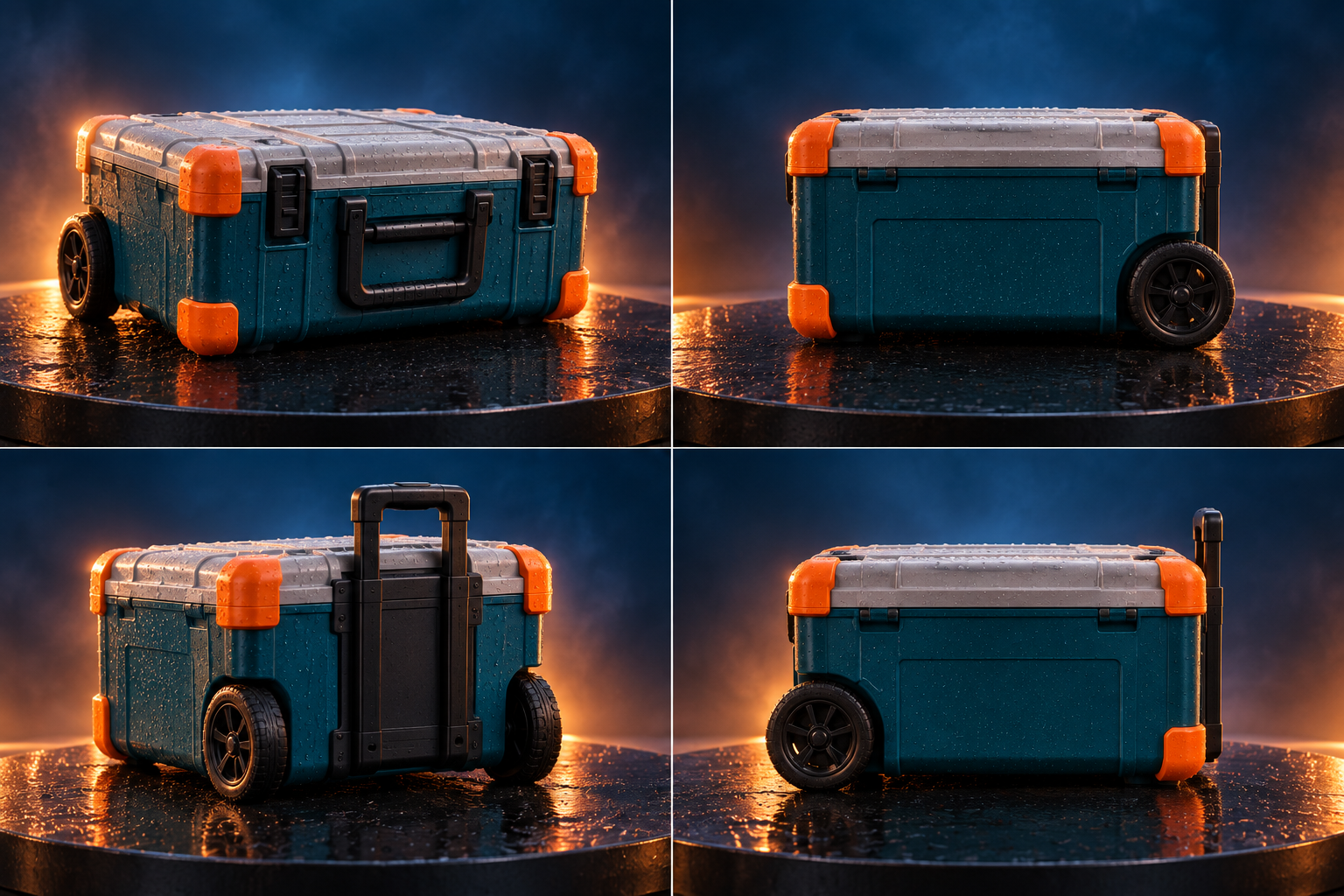
AI-generated still storyboard: four views of the same proposed teal-and-orange relief kit on a dark platform.
Try this prompt
360 product turntable Create a cinematic four-panel static storyboard for a 360 product turntable of the SAME fictional disaster-relief support kit: compact deep-teal rectangular transport case, rounded corners, orange corner guards, two black rear wheels, pale gray lid, one black telescoping rear handle. The case is closed in every view. Show front three-quarter, right side, rear three-quarter, and left side in a clean two-by-two grid. Keep all construction details and proportions consistent. Each view sits on the same dark circular platform with a subtle wet reflection, deep blue background and warm rim lighting. No text, labels, logos, military insignia, people or extra products. This is a still multi-angle storyboard, not an animation or engineering drawing.
Keep the conversation going
Keep all four views. Check whether the handle, wheels, hinges, and guards remain in the same physical locations; correct any contradictions.
4. Put the idea beside a person
size comparison
At the community hall, someone must carry the kit through the door and find a place for it. A scale image lets a reviewer picture that moment. It can start a conversation about portability and desk space, but it cannot answer those questions with verified measurements.
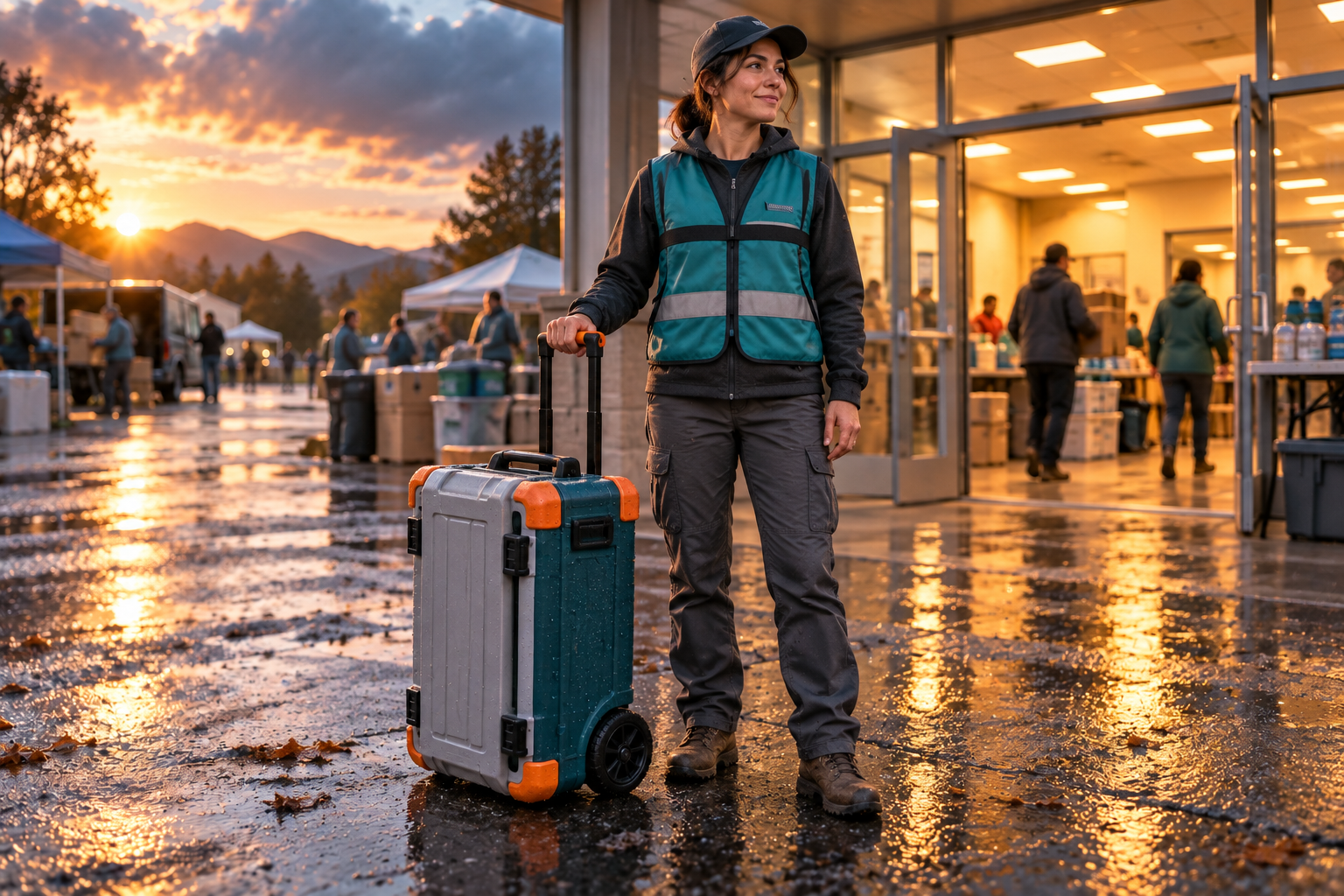
AI-generated concept: a volunteer beside the rolling relief kit at a community hall doorway; scale is illustrative.
Try this prompt
size comparison Create a dynamic realistic size-comparison concept photograph of a fictional disaster-relief welcome-station kit beside an adult volunteer at a community hall entrance. Show the SAME closed compact deep-teal rectangular case with rounded corners, orange corner guards, two black rear wheels, pale gray lid, and extended black telescoping handle. The case body reaches approximately the volunteer's knee, with its handle at hand height. Show the full standing person in plain neutral work clothing and boots, lightly holding the handle, and the entire case on the same ground plane. Eye-level three-quarter view, warm interior light spilling through the doorway onto cool wet pavement, strong sense of arrival. No readable signs, names, military insignia, weapons or identifiable location. Illustrative scale, not a measured specification.
Keep the conversation going
Preserve the person, camera and case design. Make a second view beside a folding table so reviewers can discuss placement as well as portability.
5. Make a choice people can compare
colorway collection
The team has a shape it likes. Now it can compare visual identities without redesigning the whole kit. Would teal feel approachable? Would a lighter body be easier to distinguish in a crowded setup? Keep the viewpoint fixed so color is the variable people are responding to.
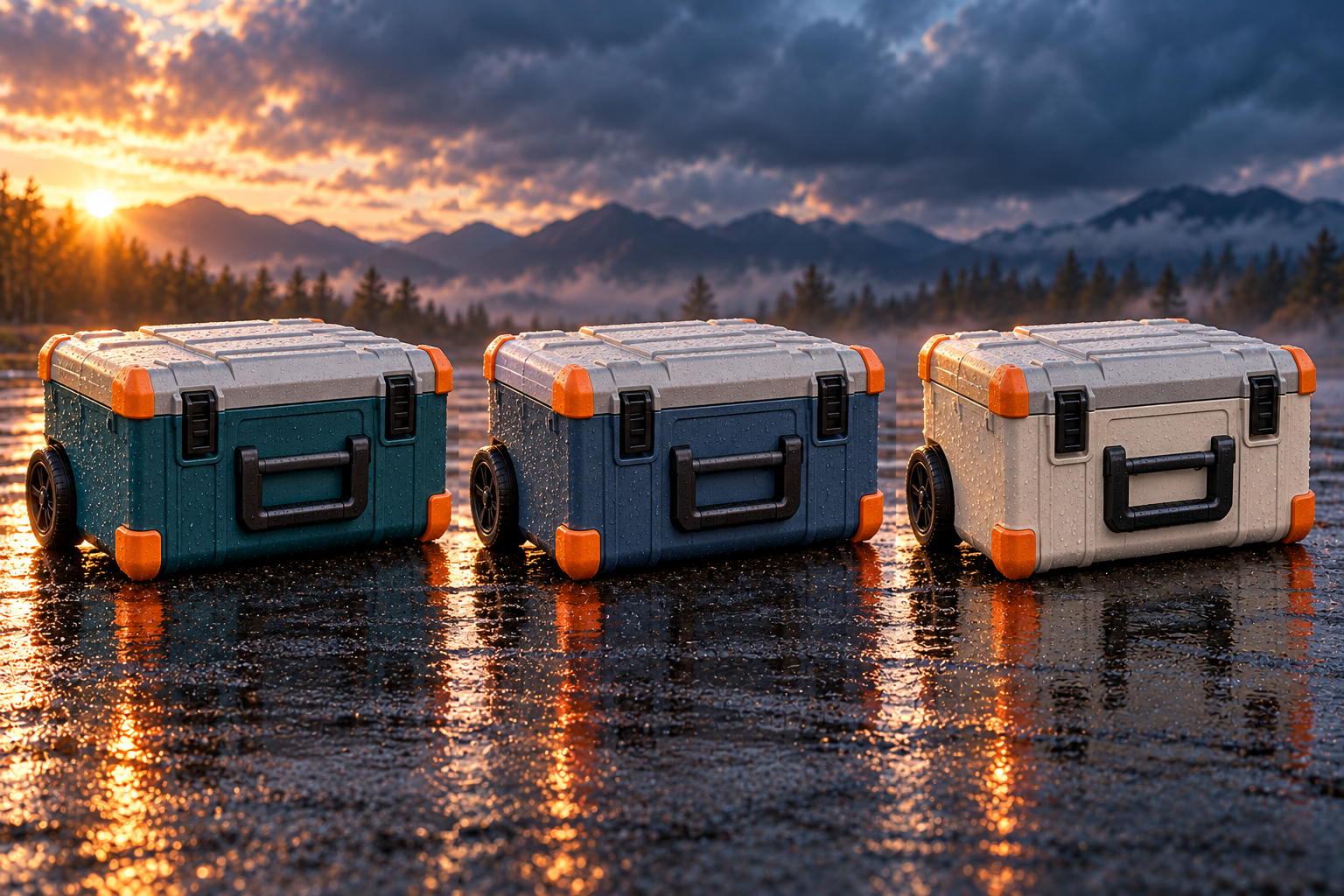
AI-generated concept: matching relief-kit cases in teal, slate blue, and ivory, with orange guards.
Try this prompt
colorway collection Create a striking editorial colorway collection of the SAME fictional disaster-relief welcome-station case in exactly three versions arranged side by side. Compact rounded rectangular case, pale gray lid, two black rear wheels, black retracted handle, orange corner guards, identical proportions and construction. Change ONLY the main body color: deep teal, slate blue, and warm ivory. All three are closed and face the same three-quarter angle at the same scale. Place them on a dark rain-glossed surface against a moody blue-gray background, with warm dawn side light and crisp reflections. Equal spacing, fully visible objects, no text, logos, symbols, people or additional cases. Fictional concept color options.
Keep the conversation going
Keep the body colors and all construction details fixed. Show the same collection under neutral daylight to compare it without the dramatic lighting.
6. Move from mood to questions about materials
material study
The final frame moves close enough to notice surfaces. A material study helps the team explain an aesthetic preference and identify what needs a real sample: how a finish looks when wet, how a fabric edge meets a panel, or how visible scratches might be. Engineering and purchasing decisions still need tested products and specifications.
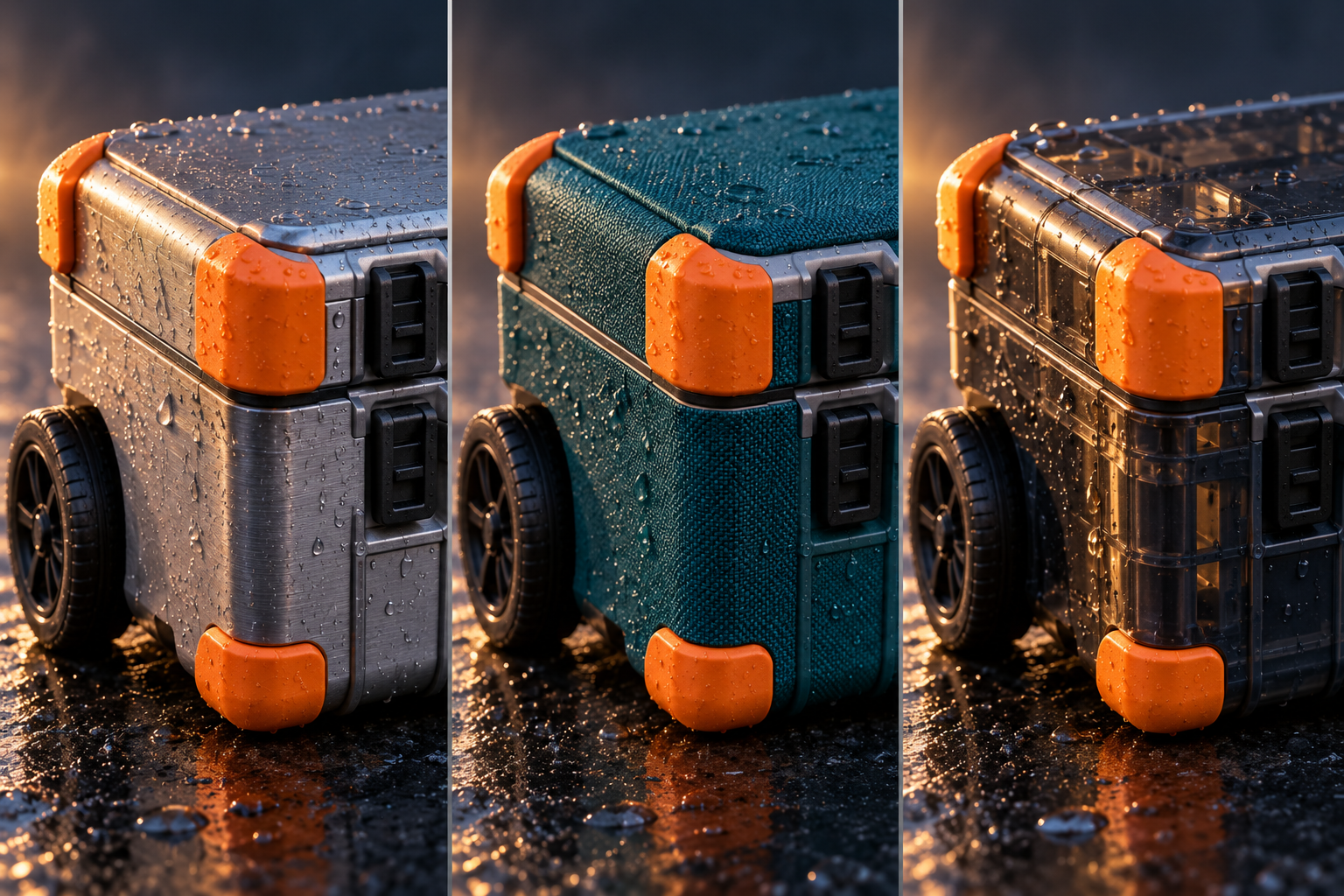
AI-generated concept: close-up case corners exploring brushed metal, teal fabric, and translucent plastic finishes.
Try this prompt
material study Create a dramatic editorial material-study triptych for a fictional disaster-relief welcome-station kit. Show three close-ups of the SAME rounded rectangular case-corner design with identical orange protective corner guards and the same camera angle. Explore three alternative outer finishes: brushed aluminum, deep-teal woven fabric over a rigid shell, and translucent smoky polycarbonate. Use grazing side light, realistic water droplets, sharply visible texture, dark blue-gray backgrounds and restrained warm highlights. Three equal panels, generous separation, no labels, text, logos or people. A speculative finish exploration, not evidence of waterproofing, durability, or tested performance.
Keep the conversation going
Keep the three finishes and angle fixed. Remove the droplets and use even light so reviewers can compare the underlying surfaces.
Give your audience something to respond to
The most useful image may be the one that makes someone stop and ask, ‘Where does the handle go?’ or ‘Would that fit beside our table?’ That is a good result. You have given the team something specific to discuss before the idea becomes a purchase, a prototype, or a plan.
Review the pictures together. AI can change hardware, proportions, and garment details between views—even with a reference. Correct those differences before using a sequence to explain a design. Treat scale and materials as illustrations; confirm dimensions, accessibility, and performance with real samples and specifications. For a rotating turntable, use the still views as a storyboard for a separate animation step.
Your turn: Choose one fictional object your team can relate to. Give it a setting, a person it helps, and a question each image should answer. Then build the story one view at a time.
Dive in
Related
Blog
From status updates to decisions: Visualize for government program managers
By Laura Keenan • Sep 8th, 2026 • Views 151
Resource
Talk It Through: A Government Employee’s Guide to ChatGPT Voice
By Laura Keenan • Jul 24th, 2026 • Views 116
Video
ChatGPT 101 for Government Professionals — October 2, 2026 Recording
By Olivia Volkin • Oct 2nd, 2026 • Views 832
Blog
From status updates to decisions: Visualize for government program managers
By Laura Keenan • Sep 8th, 2026 • Views 151
Resource
Talk It Through: A Government Employee’s Guide to ChatGPT Voice
By Laura Keenan • Jul 24th, 2026 • Views 116
Video
ChatGPT 101 for Government Professionals — October 2, 2026 Recording
By Olivia Volkin • Oct 2nd, 2026 • Views 832